Interface Guide
After launching the app, the interface is split into a left sidebar and a main content area on the right.
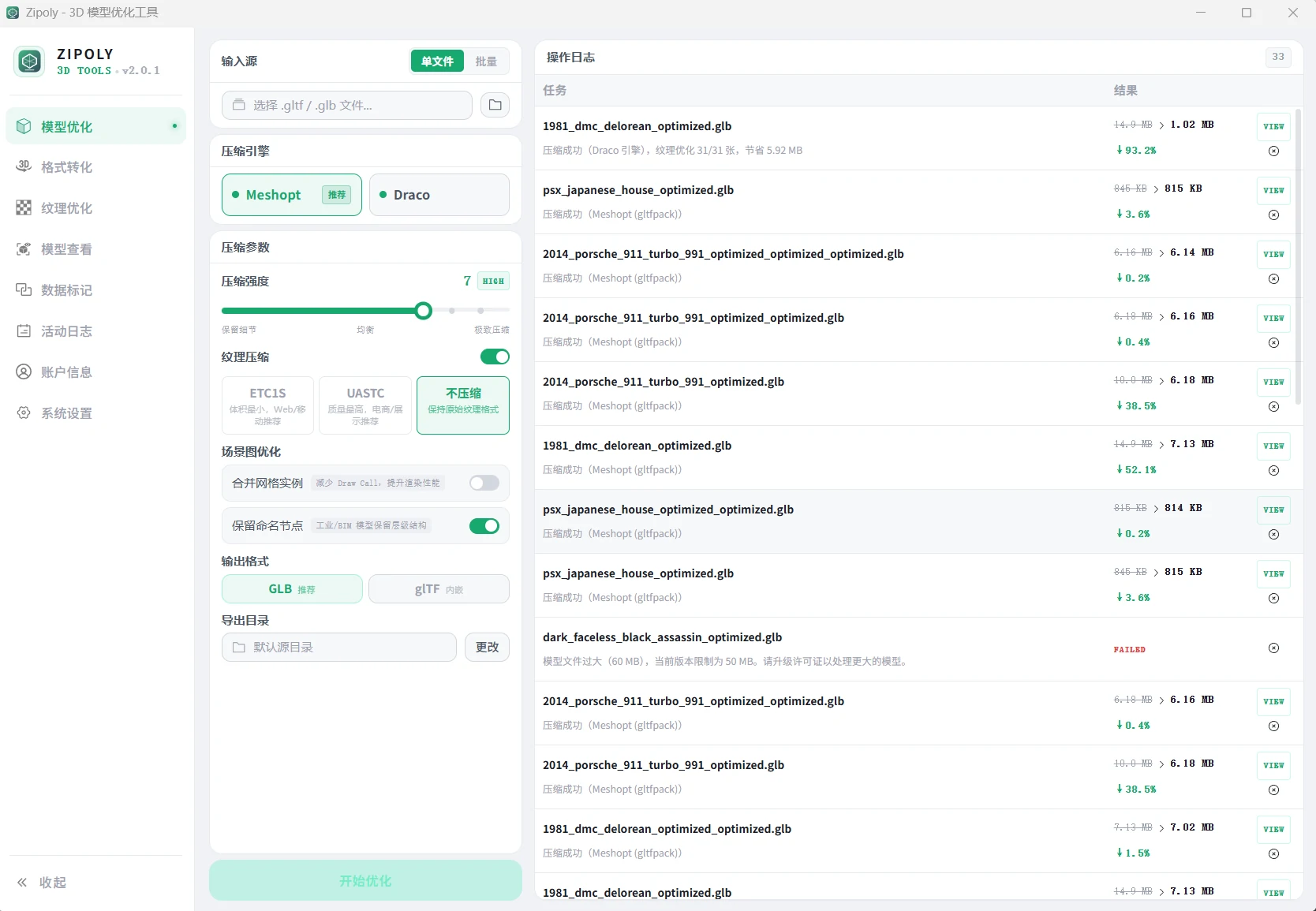
Feature Modules
| Module | Description | Limit |
|---|---|---|
| Model Optimization | Draco / Meshopt geometry compression — the core feature | Free: ≤50MB |
| Format Conversion | Convert between GLB / glTF / OBJ / FBX / STL / DAE / PLY | Free: ≤50MB |
| Texture Optimization | JPEG / WebP / KTX2 image compression | Free: ≤1MB |
| Model Viewer | 3D preview with sectioning, animation, lighting & environment | Free forever |
| Data Tagging | Edit userData key-value pairs on model nodes | Free: ≤50MB |
| Activity Log | History with parameter reuse and report export | Free forever |
| Account | License tier info and License Key activation | Free forever |
| System Settings | Defaults, engine diagnostics and update checks | Free forever |
The free tier is available forever — only per-file size and batch count are limited. See Install & Download for free tier details, or Licensing & Pricing for plans.
Quick Start
- Install & Download — download and install
- Model Compression — compress your first model
- 3D Viewer — compare before/after results
- Data Tagging — bind business data to model nodes
- Licensing & Pricing — upgrade when you need larger files and bigger batches